Mobile Mining and Smartphone Battery Longevity
Mobile mining offers a way to participate in decentralized networks, but the constant computational load can significantly accelerate smartphone battery degradation.
Ethbase Newsroom · Published September 3, 2026 · Updated September 5, 2026
Mobile mining refers to the process of utilizing a smartphone's processing power to validate transactions or perform computations for a blockchain network. While traditional mining requires specialized hardware, the rise of lightweight consensus algorithms has enabled users to participate via mobile devices. However, the primary trade-off for this participation is the physical strain placed on the device's lithium-ion battery and internal thermal management systems.
As of September 3, 2026, many decentralized projects leverage mobile-first ecosystems to grow their networks. While these apps offer potential rewards, they fundamentally alter the discharge cycles and temperature profiles of consumer hardware. Understanding how this constant activity affects a device over six to twelve months is critical for users who prioritize the longevity of their primary communication tools.
The Mechanics of Battery Degradation
Smartphone batteries have a finite lifespan, typically measured in charge cycles. A standard cycle occurs when 100% of the battery capacity is used. Mobile mining apps often require the processor to remain active in the background, which prevents the device from entering a low-power "deep sleep" state. This constant drain forces more frequent recharging, effectively accelerating the consumption of the battery's limited cycles.
Furthermore, lithium-ion batteries are sensitive to depth of discharge. Apps that keep a phone running until it reaches 0% capacity cause more chemical stress than keeping the charge between 20% and 80%. Users who leave mining apps running overnight while plugged into a charger face a different issue: "trickle charging" and elevated heat levels, both of which contribute to the breakdown of the battery’s internal chemistry.
Thermal Management and CPU Throttling
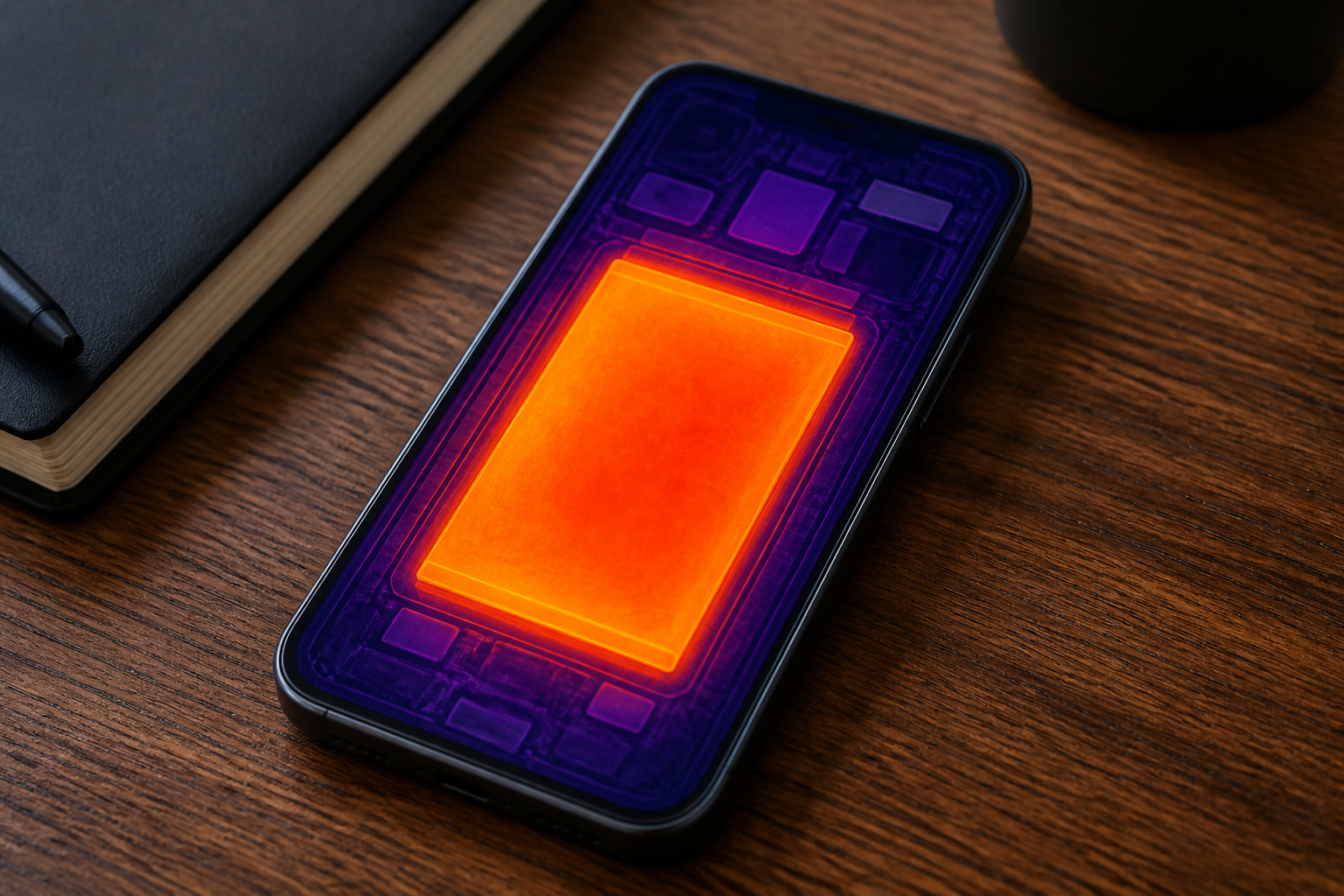
Heat is the primary enemy of smartphone longevity. Unlike desktop computers, smartphones lack active cooling fans and rely on passive dissipation through the chassis. Mobile mining tasks increase the workload on the System on a Chip (SoC), generating significant heat. When internal temperatures rise above a certain threshold—often around 35°C to 40°C—the device will engage in thermal throttling, reducing the processor's speed to prevent hardware damage.
Consistent exposure to high temperatures does not just slow down the phone; it permanently reduces the battery's ability to hold a charge. If a mining app causes the device to run hot for several hours a day, the battery may lose 10% to 20% of its total capacity much faster than under normal usage conditions. Users should monitor their device temperature using built-in system tools or third-party diagnostics to ensure the hardware remains within safe operating limits. Our earlier reporting on Top 10 Telegram Mini Apps for Utility and Mining in 2026 covers this background in more detail. Our earlier reporting on Scaling Telegram Mini Apps for Global Mobile Utility covers this background in more detail.
Cloud Mining vs. On-Device Computation
Not all mobile mining apps affect hardware in the same way. It is important to distinguish between apps that perform local computation and those that utilize cloud-based systems. Cloud mining apps act as a remote interface; they do not use the phone’s CPU to solve complex math problems. Instead, they track time or user engagement on a server. These apps have a negligible impact on battery life.
In contrast, apps that perform Proof of Work (PoW) or specific data-processing tasks locally are the ones that pose a risk to hardware. Many modern aipm solutions and decentralized utilities are moving toward more efficient models to mitigate these risks. However, the user must still verify whether an app is using the CPU, the GPU, or simply a remote API before committing to long-term use.
Impact on Screen and Component Health
Beyond the battery, mobile mining can impact other components. Some apps require the screen to remain on or active to earn rewards. This increases the risk of screen burn-in, particularly on OLED displays, where static interface elements can leave permanent ghosts on the panel. Additionally, the constant data transfer required for some decentralized nodes can lead to increased wear on the flash storage modules due to frequent read/write operations.
Mitigating the Risks
For users who choose to engage in mobile mining, several steps can help preserve battery longevity:
- Use a Secondary Device: Dedicated miners often use an older smartphone rather than their primary device to avoid compromising their daily communication tool.
- Limit Background Activity: Configure the app to only run when the device is connected to Wi-Fi and a power source, provided the thermal levels are monitored.
- Avoid Fast Charging While Mining: Using a high-wattage fast charger while the CPU is under load creates a "double heat" effect from both the battery charging and the processor working. Using a slower 5W or 10W charger can keep temperatures lower.
- Environmental Cooling: Placing the phone on a hard, flat surface (like a desk) rather than a soft surface (like a bed) helps heat dissipate more effectively.
Ultimately, the value of the rewards earned through mobile mining should be weighed against the potential cost of a battery replacement or a decrease in the device's resale value.
Questions & Answers
- Does mobile mining void my smartphone warranty?
- Generally, using an app does not void a hardware warranty. However, if the battery swells or the device suffers heat damage, manufacturers may attribute the failure to 'misuse' or 'unauthorized commercial use' if they find evidence of continuous high-load processing.
- How can I tell if an app is damaging my battery?
- Check your system settings under 'Battery Health' or 'Battery Usage'. If the app accounts for a high percentage of drain and the 'Maximum Capacity' percentage drops quickly over a few weeks, the app is likely accelerating degradation.
- Is cloud mining safer for my phone than local mining?
- Yes. Cloud mining only uses the phone as a display for data stored on a remote server, meaning it uses no more power than a standard social media app or web browser.
- Can I mine on an iPhone and an Android device?
- Yes, but the ecosystems differ. Android allows for more background processing and sideloading, while iOS has stricter limitations on background activity, which often forces iPhone mining apps to use more energy-efficient cloud-based models.